Introduction to Hiddify Next #
Hiddify Next is a network proxy software designed to provide users with more secure, faster, and more stable internet connections, especially for accessing the internet in restricted environments. Its functionality is similar to shadowrocket, v2rayNG, v2box, clash verge, and flclash. Hiddify Next can perform intelligent routing based on the target website and network content, helping users automatically select the best connection method to improve access speed and reduce latency. The software focuses on providing high-performance network proxy services and supports various optimization methods to ensure the stability of proxy connections, suitable for various network environments. Hiddify Next supports the V2Ray protocol and can handle multiple network connection types, including WebSocket, HTTP/2, gRPC, QUIC, etc., providing flexible and powerful proxy services. It also supports Shadowsocks, Trojan, OpenVPN, WireGuard, hysteria2, vless, vmess, and other protocols. Hiddify Next is a comprehensive network proxy software suitable for users with high demands for security, privacy, and network access speed. In regions with strict network censorship, Hiddify Next can help users bypass firewalls and access restricted content. Through intelligent routing and efficient protocol selection, Hiddify Next can also help users accelerate access to international networks in slow or unstable network environments.
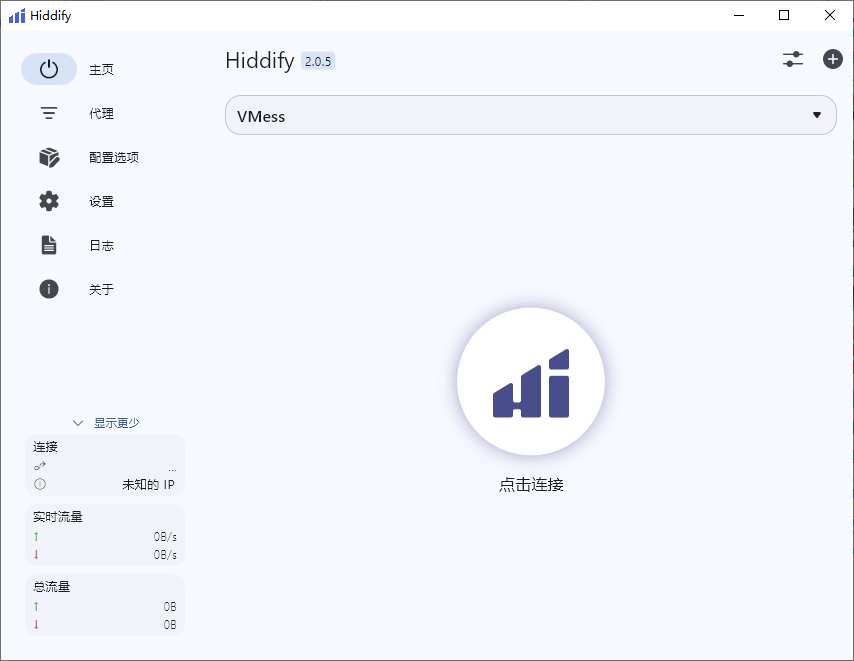
Which Platforms Does Hiddify Next Support #
Hiddify Next supports multiple platforms, including Windows, Linux, and macOS, suitable for users on different operating systems.
Hiddify Next Download Links #
| No. | Platform | Software Name | Download Link | Software Core |
|---|---|---|---|---|
| 1 | Android | hiddify next | Click to Download | hiddify |
| 2 | Windows | hiddify next | Click to Download | hiddify |
| 3 | iOS | stash | Click to Download | stash |
| 4 | Mac | hiddify next | Click to Download | hiddify |
Airport Recommendations #
- The following airports are charged based on traffic. The website includes software usage and installation tutorials
- After purchasing traffic, there is no time limit; it can be used until the traffic is exhausted
- If the website is inaccessible, it means it has been blocked; simply switch to another website
| Name | Price | Traffic | Number of Nodes |
|---|---|---|---|
| 魔戒 | 1 CNY | 1G | 30 |
| 网际快车 | 7 CNY | 20G | 54 |
| 牛逼 | 14 CNY | 200G | 31 |
| 飞兔 | 30 CNY | 100G | 80 |
| 农夫山泉 | 45 CNY | 200G | 40 |
| 宝贝云 | 55 CNY | 600G | 64 |
| 自由猫 | 89 CNY | 200G | 71 |
| fscloud | 99 CNY | 1000G | 82 |
How to Use Hiddify on iPhone #
1. Purchase a Temporary US Apple ID #
-
Mainland China Apple IDs cannot download Hiddify, so a US Apple ID is required
-
Purchase website: https://idappstore.net/pg/207.html
-
Price: 1.97 CNY
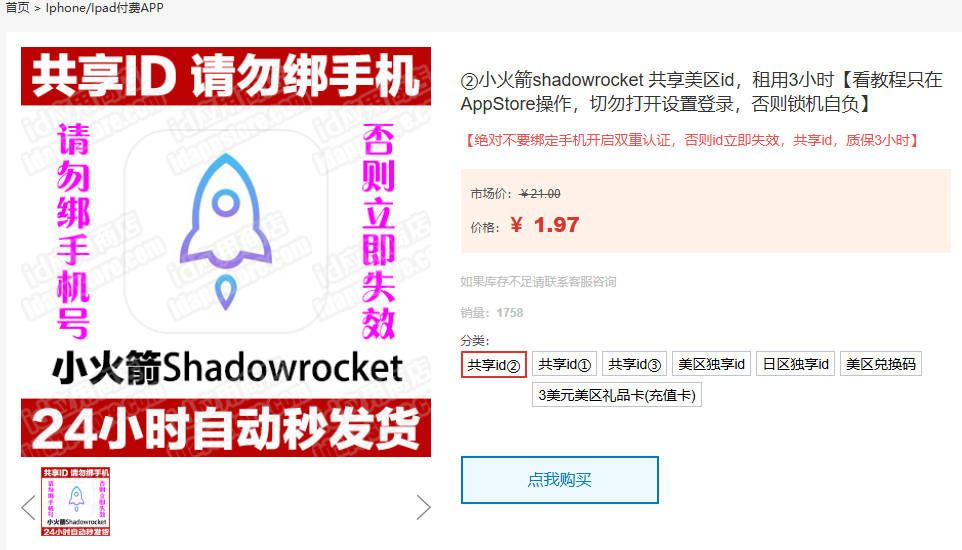
- Log in to the App Store using the purchased Apple ID
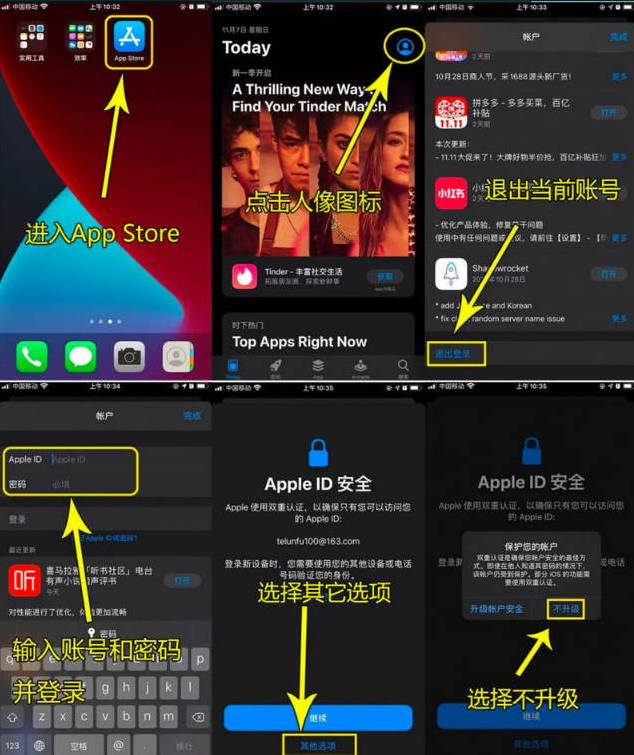
- Open the Apple Store (App Store)
- Search for Hiddify
- This software is free; click the small cloud icon to download and install
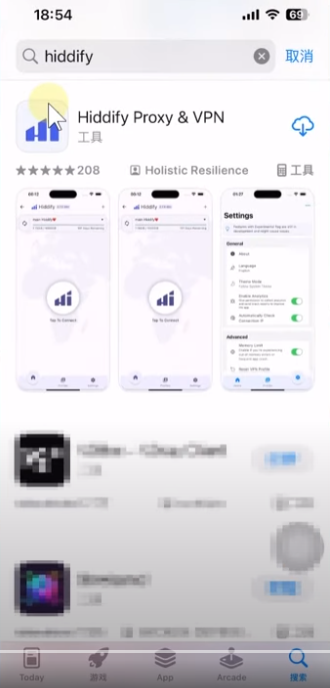
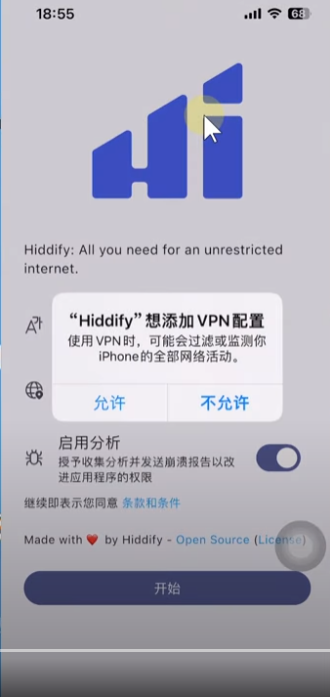
- After installation, open Hiddify

- Click Allow
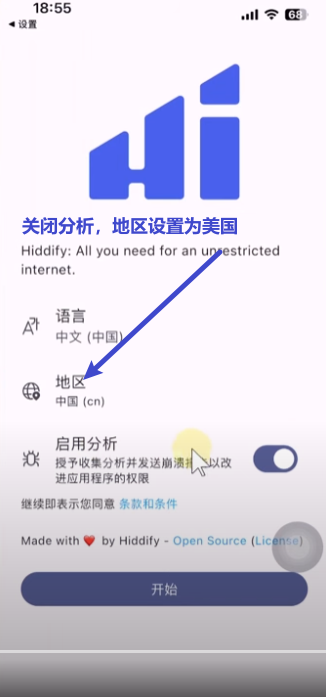
- Turn off analytics and set the region to the United States
- If not set, internet access will be very slow later
2. Purchase Nodes #
- Taking the网际快车 airport as an example, click to open the农夫山泉 airport and register

- Click to purchase nodes and find the package shown below: 6.8 CNY for 20G with no time limit

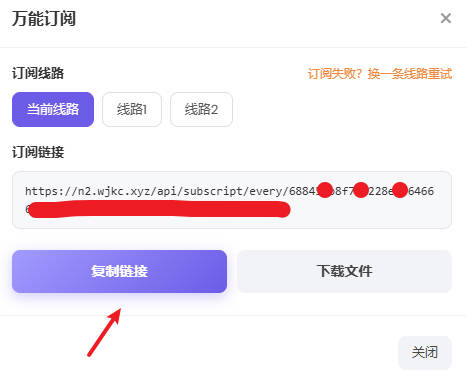
- After successful payment, click the usage tutorial, universal subscription, and copy the link
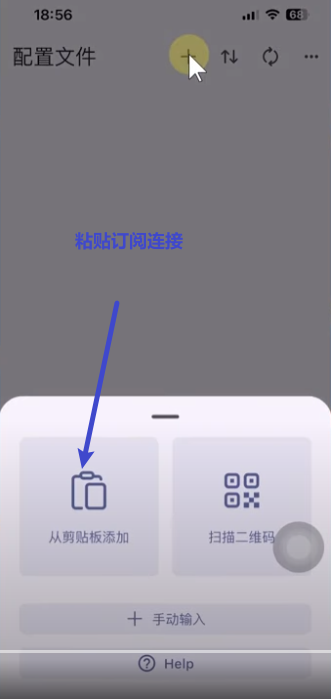
- Click on configuration files to add nodes
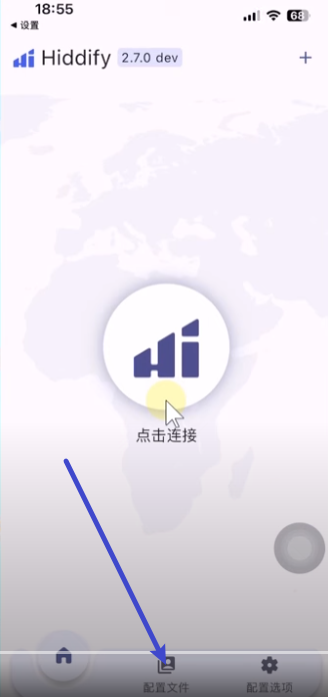
- Click the plus sign on the software interface to add nodes
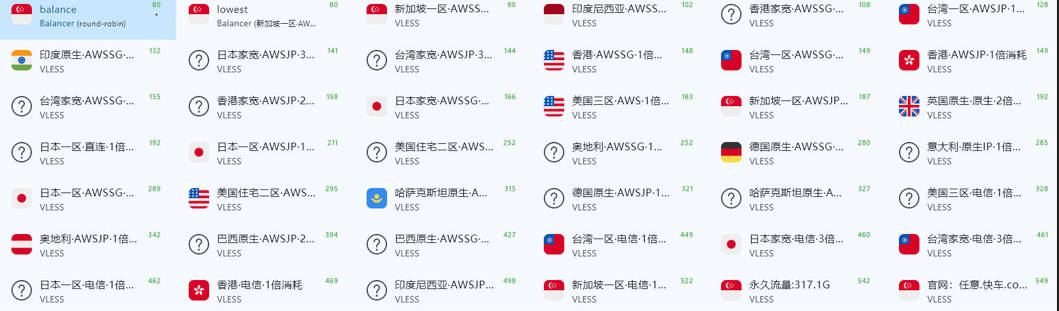
- You can see that this airport has many nodes and the connection is very stable
- Click on the home page, then click Connect to start using the network